How We Built a Batch Picking System for an Online Bookstore's Warehouse
Online Bookstore Custom AI Automation
Every online order ends the same way: someone walks through the warehouse to collect it. For an online bookstore with a warehouse full of second-hand books, we built a custom batch picking system that groups orders intelligently, sorts the route through the shelves, and guides pickers on a tablet. The project combined custom web application development, WooCommerce integration, and an AI assistant for the warehouse team.
Custom Web Application Development, WooCommerce Integration, Warehouse Process Automation, Algorithm Development, Tablet Picking Interface, Admin Dashboard Development, AI Assistant Integration
About the Client
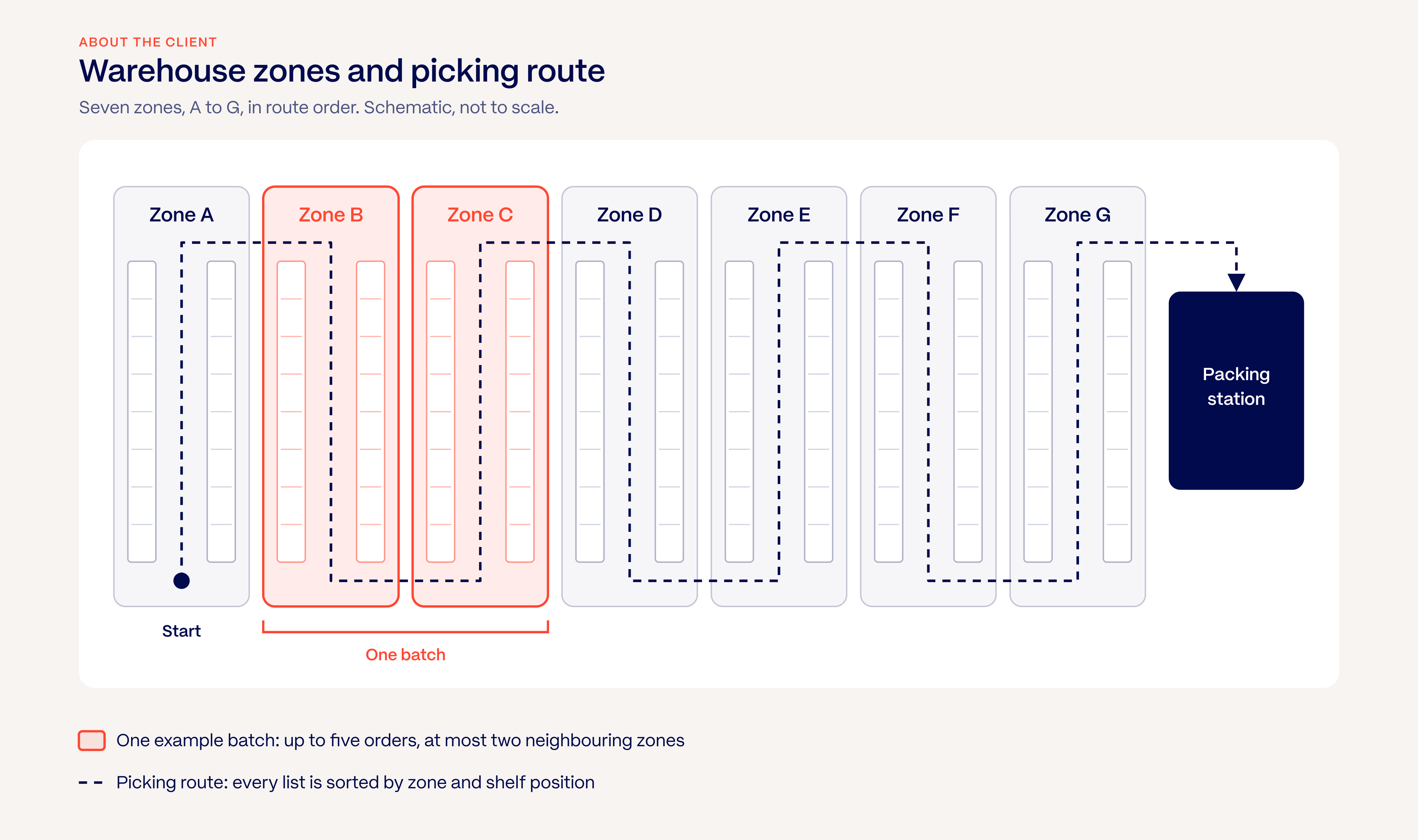
Our client is a Croatian online bookstore specialising in selling second-hand books. Its webshop runs on WooCommerce, and every order is collected by hand from a warehouse divided into seven zones.
Challenge
Before the project, each order was picked separately. A picker took one order, walked to each shelf it needed, brought it back to pack, then started again with the next. That approach to order picking had clear limits:
- The same routes were walked again and again, often for orders that needed books from the same part of the warehouse.
- Orders with the same titles were picked separately, with repeated trips to the same shelf.
- In the busiest season, when orders peak, all that extra walking added up quickly.
The client wanted a batch picking system that would let pickers walk less and collect more, without changing the webshop or the way customers place orders.
Process
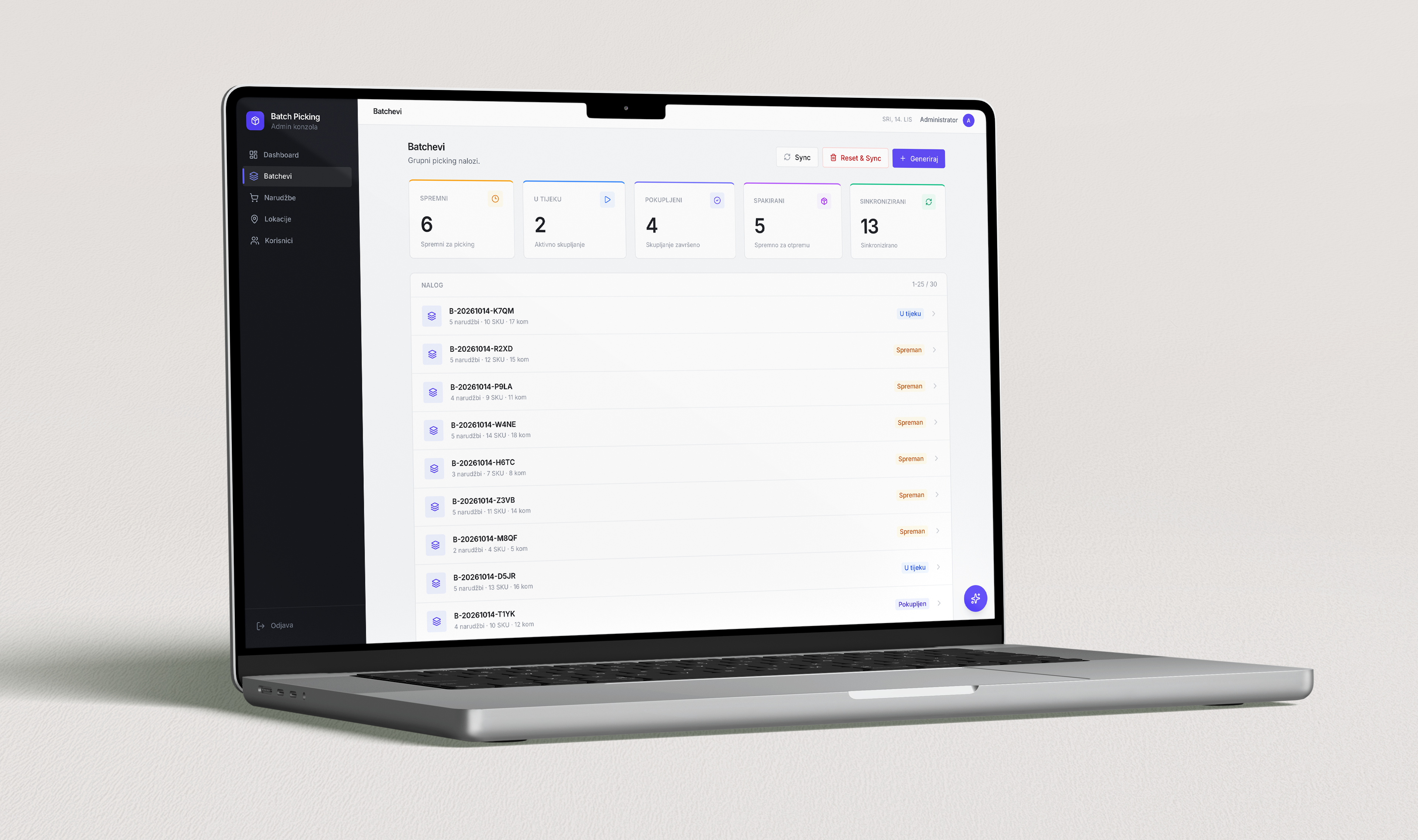
We built the batch picking system as a standalone web application that sits between the WooCommerce webshop and the warehouse floor.
1. Syncing Orders from WooCommerce
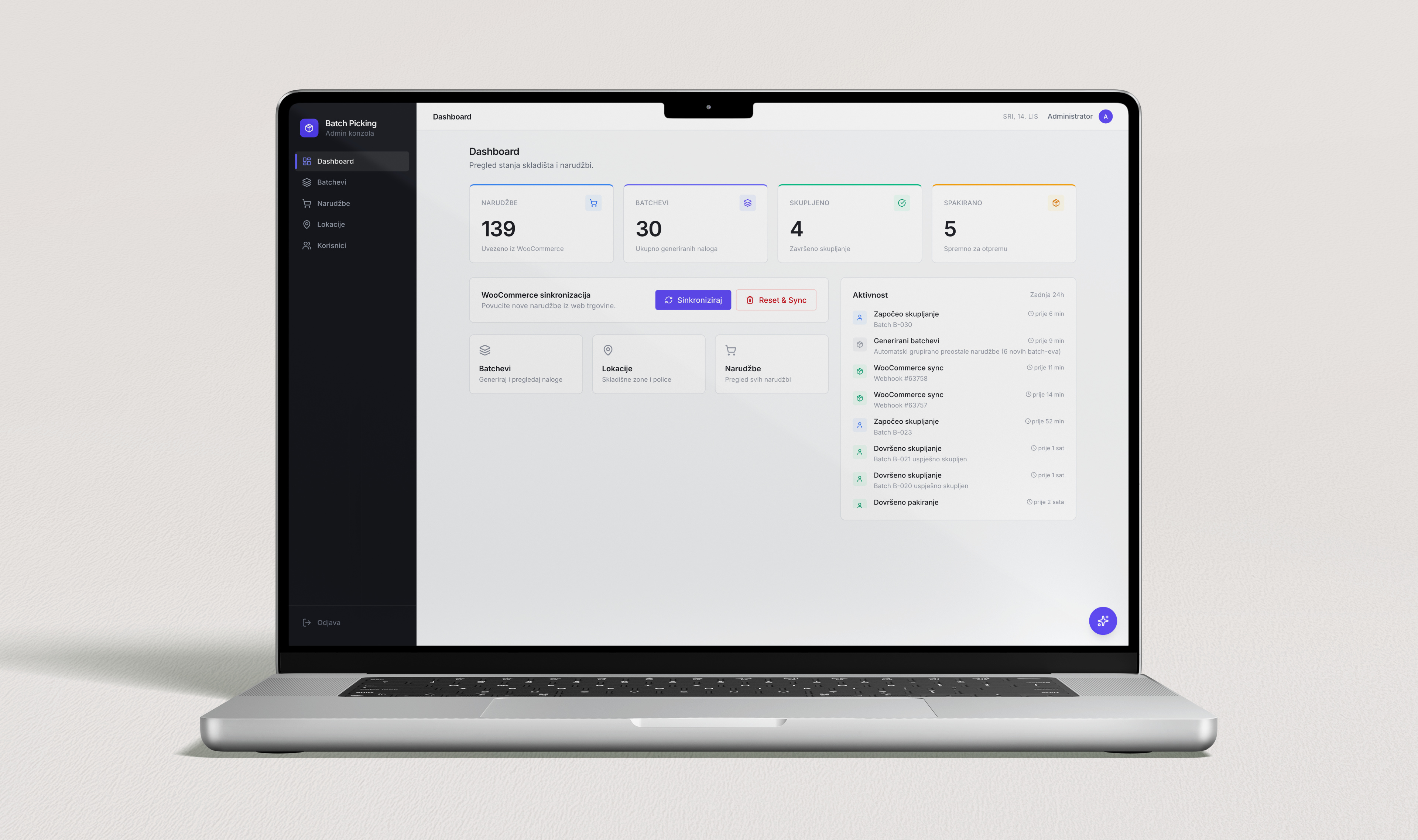
New orders arrive automatically through WooCommerce webhooks, together with product data such as SKU, title, cover image, and author. No order is ever imported twice, and once a batch is packed, the system updates the order status back in the webshop.
2. Mapping the Warehouse
Every product is assigned a zone and a shelf, and each shelf gets a route position, so the system knows the physical order in which books should be collected. Locations can be added one by one or imported in bulk from a CSV file.
3. How the Batch Picking System Groups Orders
This is the core of the system. Instead of one order per walk, the algorithm groups up to five orders into a single batch:
- Orders are compared by the warehouse zones they need, and the most similar ones are grouped together.
- A batch covers at most two neighboring zones, so a picker never has to cross the whole warehouse. The client set this rule after the first round of testing.
- Orders that share three or more of the same books are merged into one batch, so each title is collected once.
- Orders without a mapped location are grouped by matching products instead.
4. A Picking Screen Built for the Warehouse
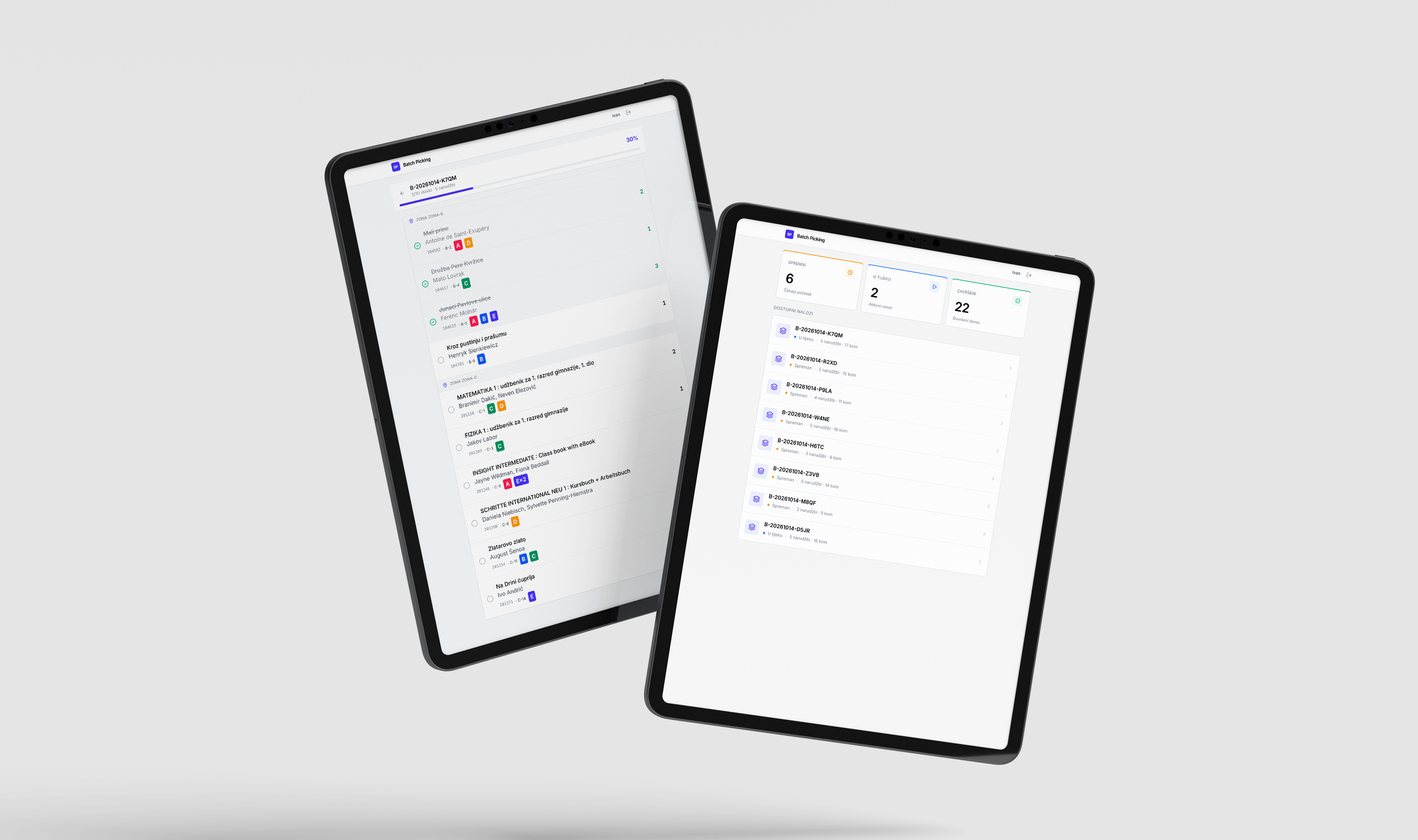
Pickers work on a tablet. Each batch lists the books sorted by their position on the route, with title and author, so the picker simply moves from shelf to shelf. Every order in the batch gets its own basket, labelled A to E, and the screen shows exactly how many copies go into which basket. Books are ticked off as they are collected, and a batch can only be completed once everything is picked.
5. An AI Assistant for the Team
The admin panel also includes an AI assistant that answers staff questions about orders, batches, locations, and the picking workflow in Croatian. If the primary language model is unavailable, a backup model takes over automatically.
What Did We Do?
We designed and built a batch picking system around the way the warehouse really works:
The system went from its first release to zone-based grouping in nine days, and it kept evolving with feedback from the warehouse floor.
Results
The new batch picking system changed how the warehouse works every day:
- A picker now collects up to five orders in one walk instead of making five separate trips.
- Every batch stays within two neighbouring zones, which keeps routes short.
- Books that appear in several orders are picked once per batch, not once per order.
- Every picking list is sorted by route, so nobody has to plan their own path through the shelves.
- The system was ready in June 2026, ahead of the busiest season of the year.
Conclusion
By turning order picking into a planned, batched process, the online bookstore’s warehouse team now spends less time walking between shelves and more time getting orders out of the door. We built the system around the client’s real warehouse, and it keeps adapting as the team uses it.
Curious what a custom tool could do for your operations? See how we built an AI customer support agent for the same bookstore, read our take on AI in web development, or get in touch and tell us where your team loses the most time.