How We Built an AI Customer Support Agent That Answers Bookstore Customers in 6 Seconds
Online Bookstore AI Support & Sales Agent
Customer support is often where a growing webshop first starts to feel the strain. For an online bookstore receiving thousands of questions via email, Facebook, and its website, we designed and built an AI support and sales agent that answers customers 24/7 and hands off complex cases to the team. The project combined AI agent development, Zendesk integration, and knowledge base setup into a single support layer.
AI Agent Development
LLM Integration
Zendesk Integration
Knowledge Base Setup (RAG)
Web Chat Widget Development
Facebook Messenger Integration
Conversation Analytics
About the Client
Our client is a Croatian online store specialising in selling second-hand books, with a physical shop alongside its webshop. Its customers write in to check whether a title is in stock, ask about delivery or follow up on an order.
Challenge
Customer requests arrived through three channels, email, Facebook Messenger and the website, and all of them landed in Zendesk. Most were variations of the same few questions:
- Do you have this title in stock?
- Can I cancel or change my order?
- How much is delivery, and where is my order?
Title availability alone accounts for 28% of all customer queries, and orders, delivery and payment for another 27%. Answering them by hand took up a large share of the team’s time, especially at peak times, and customers who wrote in the evening or at the weekend waited until the next working day. The client needed instant answers to routine questions, with a human touch kept for complaints, returns and other sensitive cases.
Process
We started by mapping where customer questions come from and which of them can safely be answered without a person.
1. Building the Knowledge Base
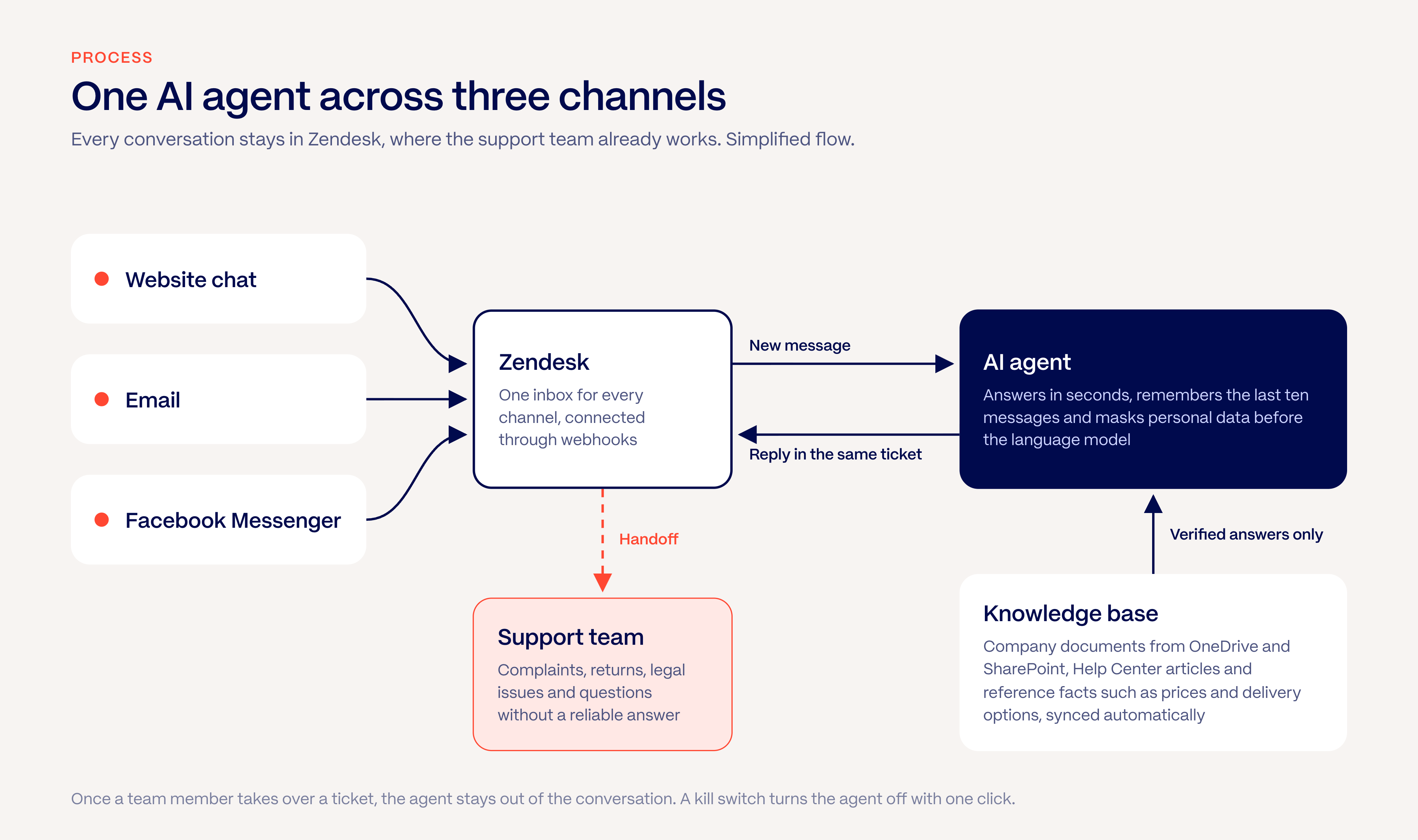
The agent answers only from verified company information. We connected it to the client’s existing documents in OneDrive and SharePoint, the Zendesk Help Center and a set of reference facts such as prices, delivery options and opening hours. Everything is stored in a vector database (Supabase pgvector) and synchronised automatically, so when the team updates a document, the answers change with it.
2. One Agent, Three Channels
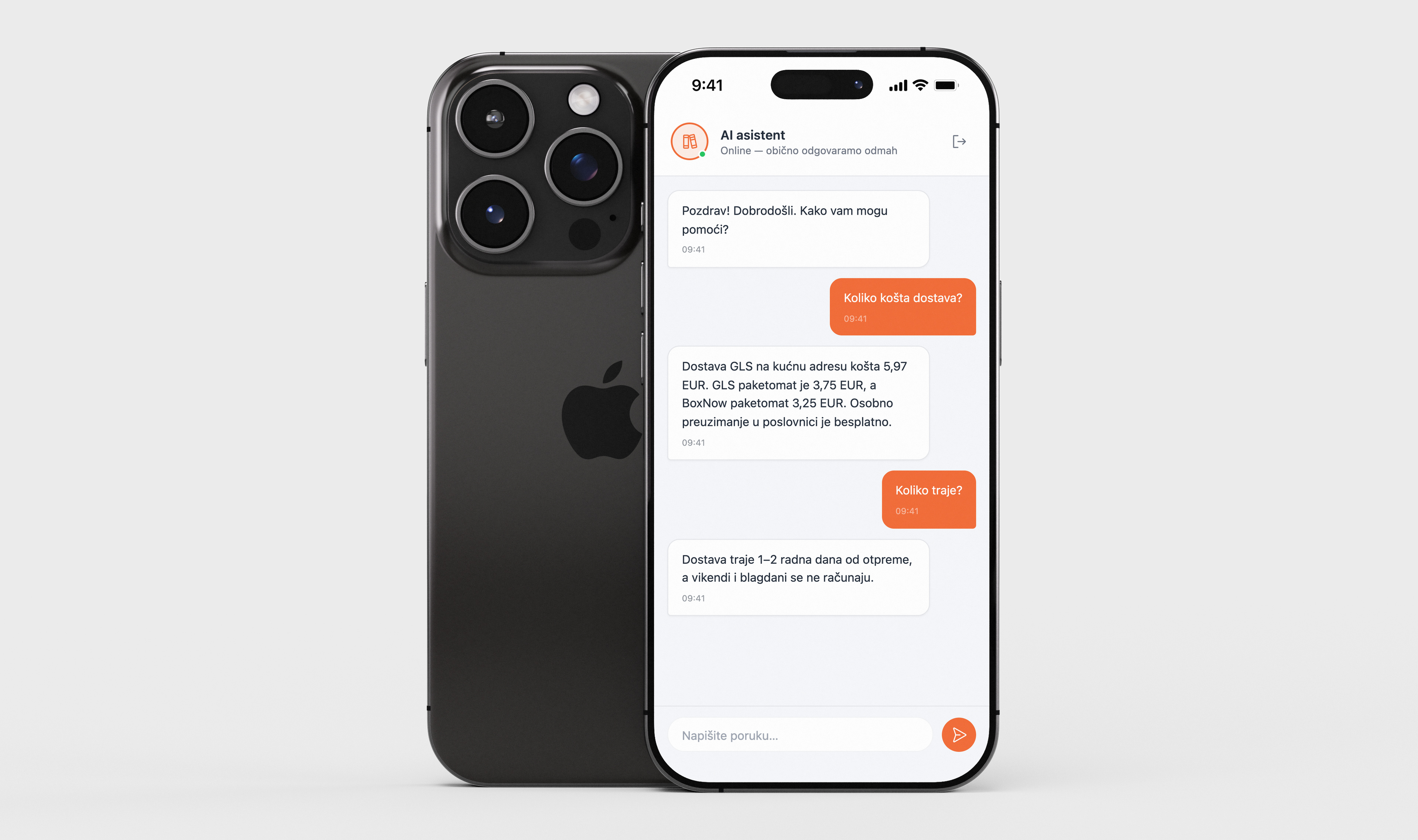
The same agent works in the website chat widget, email and Facebook Messenger. It connects directly to Zendesk through webhooks, so every conversation stays in the tool the support team already uses. The agent also remembers the last messages of a conversation, which lets customers ask follow-up questions like “And for three books?” without repeating themselves.
3. Knowing When to Step Back
Some questions should never be answered by AI, so we defined clear handoff rules:
- Complaints, returns, damaged items and legal issues go straight to a human agent.
- If the agent cannot find a reliable answer in the knowledge base, it tells the customer and escalates the ticket.
- Once a team member takes over a ticket, the agent stays out of the conversation.
- A kill switch lets the team turn the agent off with a single click.
4. Privacy and Control
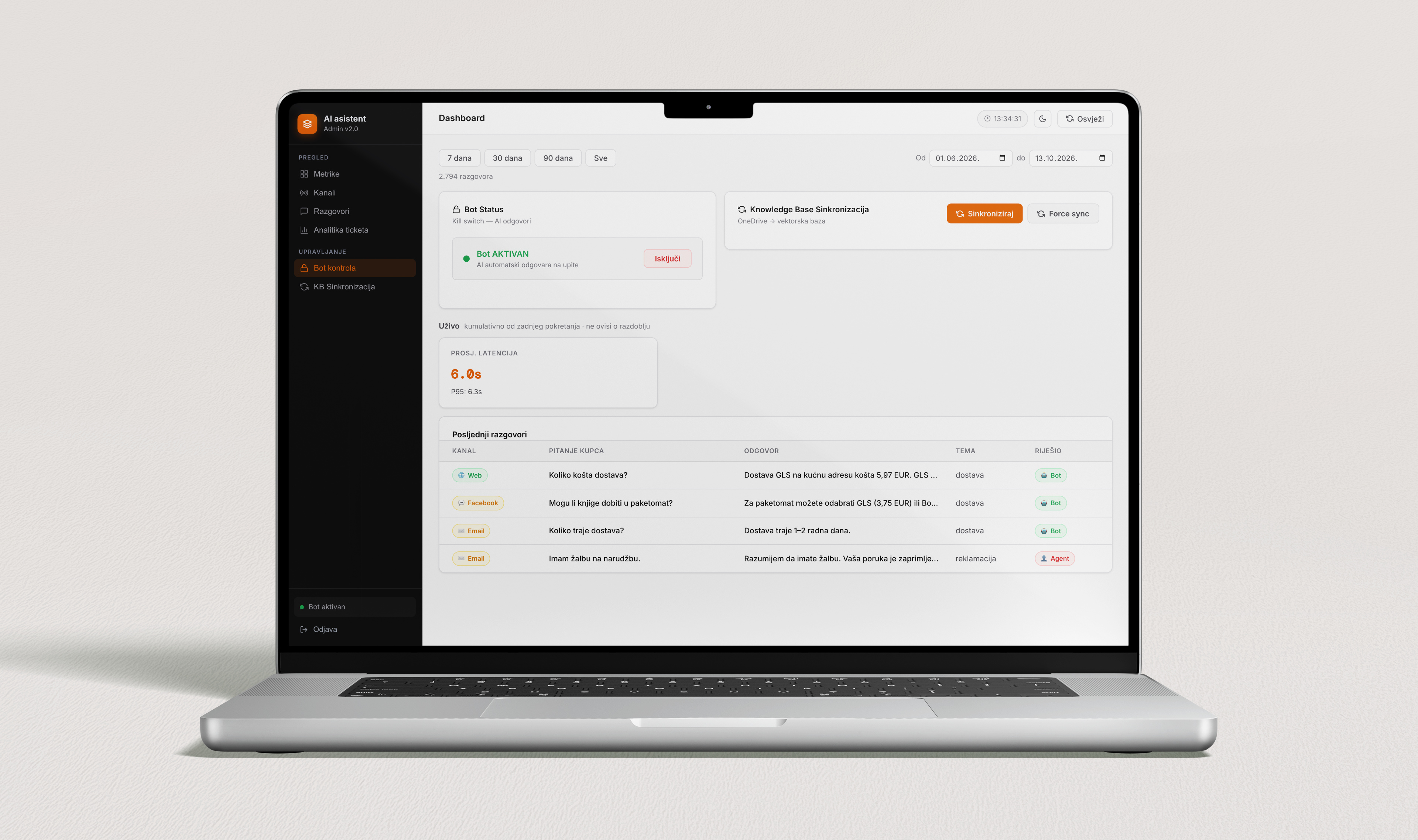
Before any message reaches the language model, personal data such as personal ID numbers, IBANs, email addresses, phone numbers and home addresses is masked automatically. The team also has an admin dashboard showing conversation history, results by channel, response times and running costs.
What Did We Do?
We built an AI agent that sits inside the client’s existing support workflow:
That last point lets the knowledge base grow from real customer questions.
Results
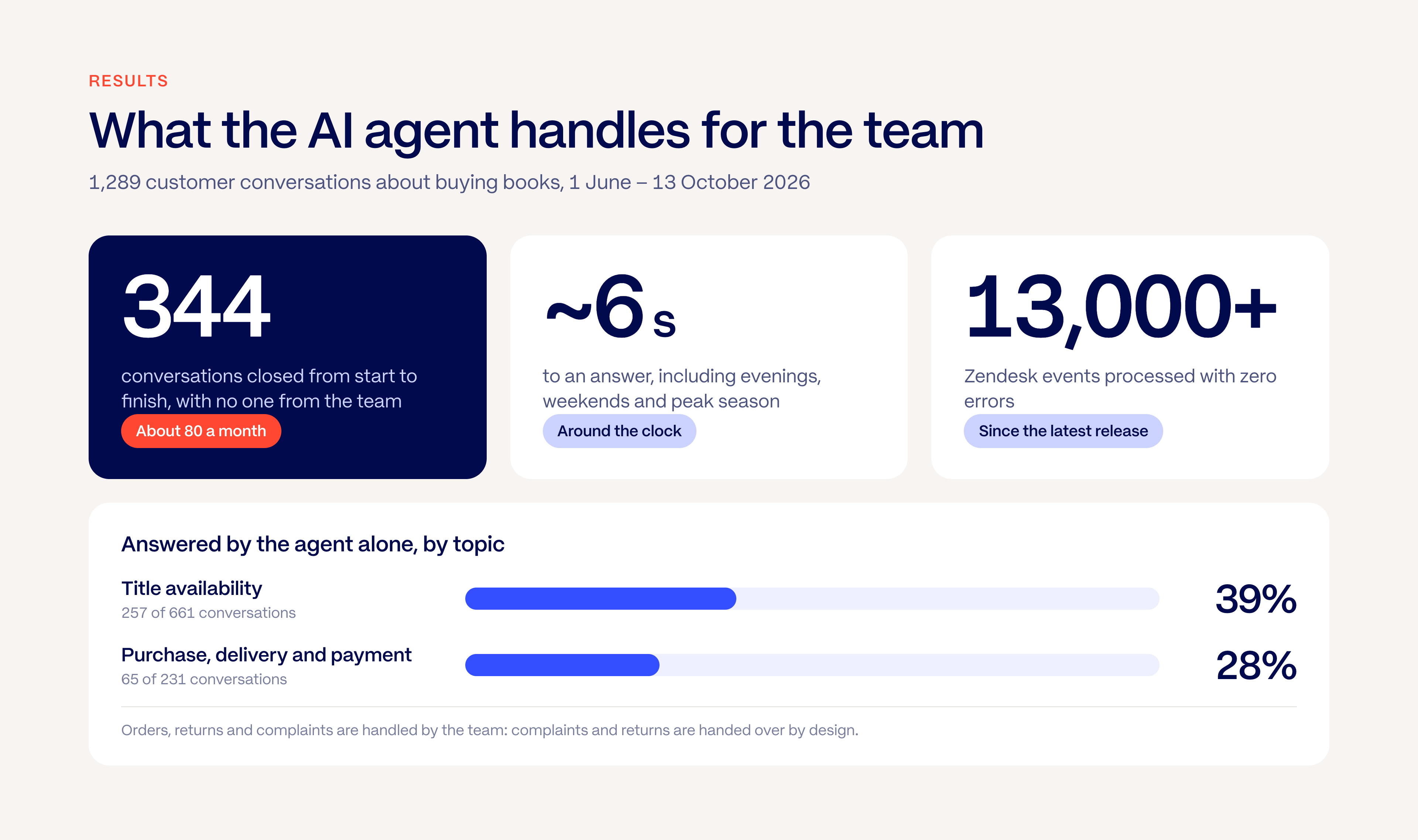
Between June and October 2026, the agent worked through 1,289 customer conversations about buying books, with spam and messages without a question excluded.
- The agent resolved 344 of them from start to finish, without anyone on the team having to step in.
- 39% of availability questions are answered by the agent alone, so customers know straight away whether a title is in stock.
- For delivery, purchase and payment questions, more than one in four cases are closed by the agent without the team.
- Every customer gets an answer in around 6 seconds, including evenings, weekends and peak season.
- Since its latest release, the system has processed more than 13,000 Zendesk events with zero errors.
The ticket analysis also showed the next step: connecting the agent to live webshop stock so it can confirm availability for any title.
Conclusion
The online bookstore now has a support assistant that answers routine questions instantly across all its channels, while the team focuses on complaints, returns and cases that need a person. Because every conversation is analysed, the agent keeps improving month by month.
Curious where AI fits in your business? Read our guide on where to start with AI in marketing automation, or get in touch and let’s see what an AI agent could take off your team’s plate.